Grabee
HostGraber AI Assistant
Connected to live agent
00:00
🤖
Hi 👋 I’m Grabee.
I can help with hosting plans, domains, billing, or setup.
What do you need help with today?
Get Hosting, Pricing & Instant Setup Help
File upload enabled Your specialist requested supporting files. You can upload PDF, DOCX, spreadsheet, ZIP, or image files here.
Powered by HostGraber AI
Grabee can make mistakes. Double check replies.
Loading plans...
🌐
Search and buy the right domain name here. I'll check availability, suggest alternatives, and push you toward the strongest next option.
Buy Domain Name
Popular TLD Extensions
.com ₹799/yr .in ₹499/yr .co.in ₹399/yr .net ₹899/yr .org ₹749/yr .io ₹3,499/yr .tech ₹999/yr .store ₹1,199/yr
🎧
Support is online 24/7. Pick a path below or tell me the issue and I will guide the fastest fix.
Get Help
Platform Pulse
Infrastructure Healthy
Load Stable
Demand shared, vps
Offers 0 deals
Smart Help Boosters
Help Centre
How to choose the PHP extensions in cPanel?
cPanel-Control Panel
Some software requires a different PHP extensions. Using cPanel, you can select different PHP extensions. 1. Log in to your cPanel account. 2. Search PHP in search bar. 3. Click on Select PHP version. 4. You will arrive at PHP Selector page. Under Extensions,...
6879 views
How to login to your VPS instance?
VPS Hosting
Login to your user dashboard. Go to My Products under Products section. Click on My Products & you will see your products in a listed-manner. Click on Manage situated at the right-corner of each products to manage the specific product. You will arrive on Prod...
4935 views
How to Connect SSH through MobaXterm for Linux Environment?
VPS Hosting
Login to MobaXterm Open MobaXterm.Click on "Session" at the top left corner. Create a New SSH Session: Choose SSH as the session type. In the Remote host field, enter your Host Name or IP Address. Ensure the Port is set to 22 (default SSH port). Check the opt...
3823 views
How to change the PHP version of your domain in cPanel?
cPanel-Control Panel
Some software requires a different PHP version. Using cPanel, you can change the PHP versions. 1. Log in to your cPanel account. 2. Search PHP in search bar. 3. Click on Select PHP version. 4. You will arrive at PHP Selector page. Under Extensions, Select Cur...
3428 views
How to add a CNAME Record in cPanel?
cPanel-Control Panel
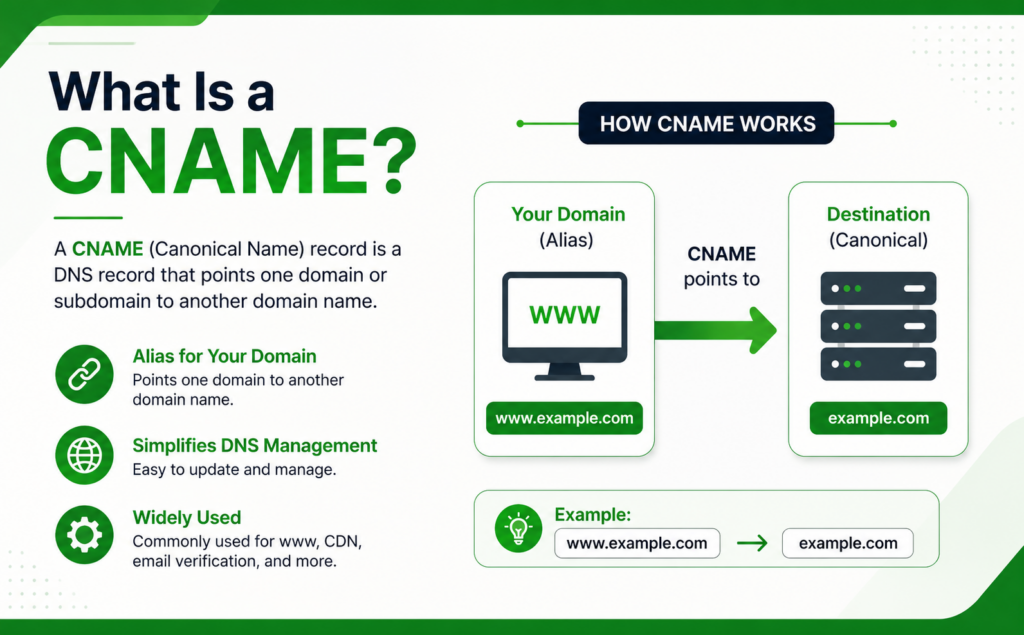
CNAME records are referred to as alias records since they map an alias to its canonical name. You can add a CNAME Record using the cPanel's Zone Editor option. 1. Log in to your cPanel account. 2. In the Domains section, click on Zone Editor. 3. Under Domains...
2994 views
How to add a MX Record in cPanel?
cPanel-Control Panel
A mail exchanger record (MX record) is a record in the Domain Name System that specifies a mail server responsible for accepting email messages. You can add an "MX Record" using the cPanel's Zone Editor option. 1. Log in to your cPanel account. 2. In the Doma...
2813 views
Rate your experience
Not likely Very likely
Thanks for your feedback!