How to Purchase an SSL Certificate: The Complete 2026 Buyer's Guide
Free SSL exists — so when do you actually need to pay? Here's everything to know before you purchase an SSL certificate in 2026, including a major validity-period change most buyers don't know about yet.
If you're about to purchase an SSL certificate, the first thing to know is this: every SSL certificate — free or ₹38,000/year — encrypts your traffic with the same strength. What you're actually paying for is identity verification, warranty coverage, and support, not stronger security.
That said, 2026 brought a real change worth planning around: certificate authorities now cap maximum validity at 200 days instead of the old 398-day limit, so renewals happen roughly twice as often as before.
Why You Need an SSL Certificate At All
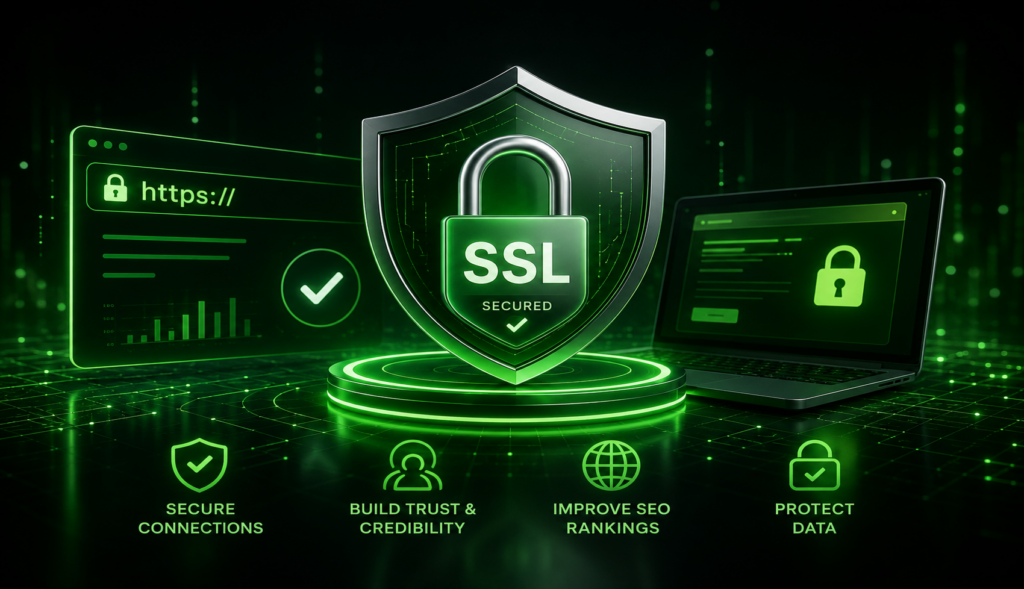
An SSL (TLS) certificate encrypts the connection between your server and every visitor's browser, protecting passwords, payment details, and personal data from interception. Without one, browsers flag your site as "Not Secure," which hurts trust, conversions, and SEO rankings alike.
The real decision isn't whether to have SSL — it's free or paid, and if paid, which validation level.
SSL Certificate Types & 2026 Pricing
| Type | 2026 Price Range | Issuance Time | Best For |
|---|---|---|---|
| DV (Domain Validation) | Free – ₹2,400/yr | Minutes | Blogs, portfolios, small sites |
| OV (Organization Validation) | ₹2,850 – ₹19,000/yr | 1–3 business days | Business websites, B2B |
| EV (Extended Validation) | ₹7,100 – ₹38,000/yr | 1–5 business days | Finance, enterprise, high-trust brands |
| Wildcard | ₹7,600 – ₹39,900/yr | Minutes – 3 days | Sites with many subdomains |
Note: EV wildcards don't exist — CA/Browser Forum rules prohibit them. If you need EV coverage across subdomains, you'll need a multi-domain EV certificate listing each one individually.
2026 validity change: as of March 2026, the maximum lifespan for any publicly trusted SSL certificate dropped from 398 days to 200 days — and the CA/Browser Forum has approved further cuts toward a 47-day maximum by 2029. If you're comparing multi-year deals, calculate the true per-issuance cost, not just the sticker price, and set up automated renewal (ACME protocol) so nothing lapses silently.
What to Check Before You Purchase
Validation Level
DV proves domain control only. OV and EV verify your actual business — pick based on how much visible trust your site needs.
Domain Coverage
Single domain, wildcard (all subdomains), or multi-domain SAN — match the certificate to your actual site structure.
Renewal Automation
With certificates now capped at 200 days, ACME-based auto-renewal isn't optional convenience anymore — it's essential.
Warranty & Support
Higher warranty tiers rarely pay off for most sites — only worth it if you process high-value transactions.
How to Purchase an SSL Certificate: Step by Step
Decide if you even need to pay
For most blogs, portfolios, and small sites, a free DV certificate from Let's Encrypt or your host offers identical encryption to a paid one.
Pick your validation level
Personal or small site → DV. Business or e-commerce → OV. Financial or enterprise → EV.
Choose your domain coverage
One domain, all subdomains (wildcard), or multiple separate domains (multi-domain/SAN).
Buy from a trusted CA or your host
Purchase directly, or check if it's bundled free with your hosting plan — many providers include it at no extra cost.
Install and set up auto-renewal
Enable ACME-based automatic renewal immediately — with 200-day validity, manual renewal is now twice the hassle it used to be.
Skip the Separate Purchase — Get SSL Bundled
You don't always need to purchase an SSL certificate separately. HostGraber includes free SSL with every hosting plan, plus the infrastructure to support it properly:
- Free SSL certificates bundled with hosting
- Automatic renewal — no manual tracking required
- DNS and domain management from one dashboard
- OV/EV certificate upgrades if your business needs them
- 24/7 technical support for installation issues
Don't Overpay for SSL You Might Not Need
Check what's already included with your hosting before you purchase an SSL certificate separately — you might already be covered.
Related Reads
Final Thoughts
Before you purchase an SSL certificate, remember the encryption strength is identical across every price tier — what you're really buying is trust signaling and support. Match the validation level to your actual site, plan for the new 200-day renewal cycle, and check whether your HostGraber hosting plan already has you covered before spending anything at all.