Pay for 12 Months, Enjoy 13 Months — 1 Month FREE!
Claim Offer
✕
1
Ask Grabee
Online now
Grabee
HostGraber AI Assistant
−
✕
Chat
Plans
Domain
Support
Connected to live agent
00:00
📎 Send file
End chat
🤖
Hi 👋 I’m Grabee.
I can help with hosting plans, domains, billing, or setup.
What do you need help with today?
Get Hosting, Pricing & Instant Setup Help
Find the right plan
Compare providers
Check a domain
Talk to a specialist
Live offers
Help articles
Play Game
What's new
Surprise me
Tell a joke
Login to account
Loading plans...
🌐
Search and buy the right domain name here. I'll check availability, suggest alternatives, and push you toward the strongest next option.
Buy Domain Name
Check →
Popular TLD Extensions
.com
₹799/yr
.in
₹499/yr
.co.in
₹399/yr
.net
₹899/yr
.org
₹749/yr
.io
₹3,499/yr
.tech
₹999/yr
.store
₹1,199/yr
🎧
Support is online 24/7. Pick a path below or tell me the issue and I will guide the fastest fix.
Get Help
Open Ticket
Talk to Specialist
WhatsApp
Help Articles
Play Game
Platform Pulse
Infrastructure
Healthy
Load
Stable
Demand
Hosting
Offers
0 deals
Smart Help Boosters
Website down
Email fix
SSL help
Move my site
Help Centre
🔍
How to choose the PHP extensions in cPanel?
cPanel-Control Panel
Some software requires a different PHP extensions. Using cPanel, you can select different PHP extensions. 1. Log in to your cPanel account. 2. Search PHP in search bar. 3. Click on Select PHP version. 4. You will arrive at PHP Selector page. Under Extensions,...
8828 views
How to login to your VPS instance?
VPS Hosting
Login to your user dashboard. Go to My Products under Products section. Click on My Products & you will see your products in a listed-manner. Click on Manage situated at the right-corner of each products to manage the specific product. You will arrive on Prod...
7030 views
How to Connect SSH through MobaXterm for Linux Environment?
VPS Hosting
Login to MobaXterm Open MobaXterm.Click on "Session" at the top left corner. Create a New SSH Session: Choose SSH as the session type. In the Remote host field, enter your Host Name or IP Address. Ensure the Port is set to 22 (default SSH port). Check the opt...
6044 views
How to change the PHP version of your domain in cPanel?
cPanel-Control Panel
Some software requires a different PHP version. Using cPanel, you can change the PHP versions. 1. Log in to your cPanel account. 2. Search PHP in search bar. 3. Click on Select PHP version. 4. You will arrive at PHP Selector page. Under Extensions, Select Cur...
5339 views
How to add a CNAME Record in cPanel?
cPanel-Control Panel
CNAME records are referred to as alias records since they map an alias to its canonical name. You can add a CNAME Record using the cPanel's Zone Editor option. 1. Log in to your cPanel account. 2. In the Domains section, click on Zone Editor. 3. Under Domains...
4894 views
How to add a MX Record in cPanel?
cPanel-Control Panel
A mail exchanger record (MX record) is a record in the Domain Name System that specifies a mail server responsible for accepting email messages. You can add an "MX Record" using the cPanel's Zone Editor option. 1. Log in to your cPanel account. 2. In the Doma...
4690 views
Rate your experience
1
2
3
4
5
6
7
8
9
10
Not likely
Very likely
Thanks for your feedback!
Website & Hosting
Hosting
Web Hosting
Enterprise Hosting
WordPress Hosting
Node.js Hosting
Python Hosting
Cloud Hosting
Reseller
Reseller Hosting
VPS Reseller
Partner Program
Domain, Email & SSL
Buy Domain Names
Business Email
SSL Certificates
Digital Growth
Business Growth Stack
Server Management
Server Licenses
VPS & Dedicated
Unmanaged VPS
VPS Hosting
General Purpose VPS
CPU Optimized VPS
Memory Optimized VPS
Storage Optimized VPS
High Performance VPS
Windows VPS
Managed VPS
cPanel VPS
Plesk VPS
Forex VPS
Tally on Cloud
VPS on Demand
Gati Cloud
App Marketplace
n8n VPS
GPU on Cloud
Dedicated Servers
Starter Servers
Standard Servers
Enterprise Servers
Storage Servers
Server Colocation
Infrastructure
Data Center
Colocation
Rack Space
Cross Connect
Disaster Recovery
Backup Storage
Compute
Dedicated Servers
Bare Metal Servers
GPU Servers
Storage Servers
Custom Infrastructure
Network & Security
DDoS Protection
Firewall
Private Network
IP Services (IPv4/IPv6)
BGP Connectivity
Managed Services
Infrastructure Consulting
Server Management
Monitoring
Backup & Recovery
Migration Services
Marketplace
Buy & Colocate Servers
Dell Servers
HPE Servers
IBM Servers
Lenovo Servers
Oracle Servers
Supermicro Servers
Infrastructure Services
Workstations
Other Servers
Server Rental
Components
Network Accessories
Bare Metal Leasing
Cloud Services
Gati Cloud
VPS Server
GPU Server
App Marketplace
Enterprise Servers
Data Center Colocation
Data Center Investment
CloudVest
Infrastructure Leasing
Growth Partner
CloudVest
CloudVest
CloudVest Home
CloudVest Plans
Infrastructure Leasing
Growth Partner
Cloud Credits
Pricing
Resources
Company
24/7 Support
About Us
Academy
Trust Center
Contact Us
Resources
Blog
Datacenter
Looking Glass
Tools
Knowledge Base
Video Tutorials
Domain & DNS Tools
Whois Lookup
DNS Propagation
RDNS Lookup
MX Lookup
IP Lookup
Network & SSL Tools
Ping Test
Traceroute
SSL Checker
SSL Generator
SPF Checker
DKIM Checker
Talk to Sales
India
Global
Login
Your cart is currently empty!
New in store
Sale
Product on sale
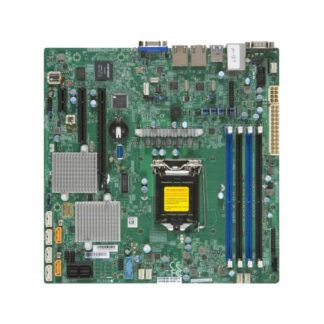
Supermicro X11SSL-CF Motherboard Micro-ATX Single Socket LGA-1151 (Socket H4) (Refurbished) | Buy in India
₹
45,499.00
Original price was: ₹45,499.00.
₹
38,799.00
Current price is: ₹38,799.00.
Add to cart
Sale
Product on sale
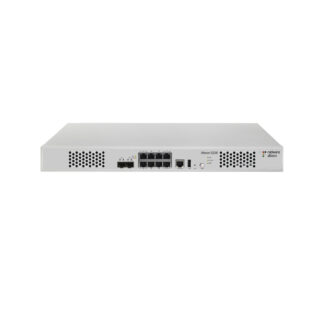
Radware Alteon 5208 Load Balancing Device With Two 10 Gig Port (Refurbished) | Buy in India
₹
44,999.00
Original price was: ₹44,999.00.
₹
37,699.00
Current price is: ₹37,699.00.
Add to cart
Sale
Product on sale
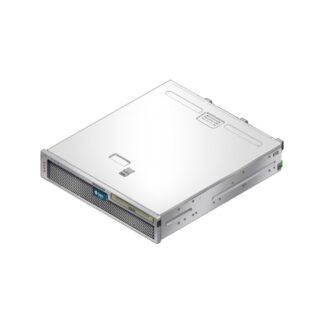
SUN Oracle Netra T5220 Server (Refurbished) | Buy in India
₹
52,499.00
Original price was: ₹52,499.00.
₹
45,499.00
Current price is: ₹45,499.00.
Add to cart
Sale
Product on sale
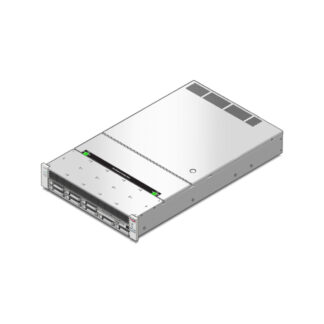
SUN Oracle T4-1 Server (Refurbished) | Buy in India
₹
71,999.00
Original price was: ₹71,999.00.
₹
53,999.00
Current price is: ₹53,999.00.
Add to cart
×
Contact Sales
I agree to be contacted about this enquiry and accept the
privacy policy
.
Send Enquiry
Connect on WhatsApp